





Limiting Data Center Peak Demand with PulseConnex
How to use real-time text and email peak demand notifications to shed the right loads, in the right order, before a short peak sets the demand charge for the whole month.
What the Application Note Covers
- Why short peaks drive a data center’s demand charge
- Connecting PulseConnex to the revenue meter, with an optional cooling submeter
- Real-time peak demand notifications by text and email, with warning and action limits
- A four-tier load-shed plan that never touches critical IT load
- Verifying results against the bill, with a worked example
Who This Note Is For
Facility and energy managers at enterprise, colocation, and edge data centers that are billed on a demand rate, and the utility account managers who support them. It assumes the site has a utility revenue meter with a KYZ pulse output, or can have one enabled.
Why Peak Demand Matters in a Data Center
Most commercial and industrial rates bill two things: the energy used (kWh) and the highest average demand (kW) recorded in any single demand interval during the billing period, usually 15 or 30 minutes. One bad interval sets the demand charge for the whole month. Some rates also include a ratchet, where a share of the highest peak in the past year sets a minimum billed demand for months to come, and some add time-of-use or coincident-peak charges. Check the site's tariff for the interval length, on-peak hours, and any ratchet.
A data center's IT load is high and steady, so it sets a large floor that cannot be shed. The peak is usually made by what sits on top of that floor:
- Cooling on hot afternoons, as chillers, CRAC and CRAH units, and fans work harder.
- UPS batteries recharging after an outage, a transfer test, or maintenance.
- Equipment restarting together after maintenance or a power event.
- Large scheduled compute jobs such as backups, analytics, or batch processing.
- Building loads: office HVAC, lighting, and EV chargers.
Because the floor is fixed, a shed of a few percent of total load can be a large share of the controllable load, and it only has to last long enough to keep each interval average below the target.
What PulseConnex Adds
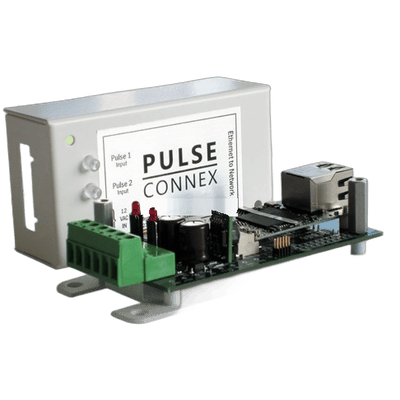
PulseConnex counts the same KYZ pulses the revenue meter produces, so it shows demand the way the meter measures it, updated every 5 seconds. Staff see instantaneous, average, and peak demand on a live graph from any browser or phone, and get scheduled CSV or PDF reports of 15-minute interval data for review and bill checks.
Most important for peak control, PulseConnex sends real-time peak demand notifications by text message and email. When demand crosses a limit the site sets, the people who can act are told within seconds, on their phones, wherever they are, while there is still time left in the interval to bring the average down. No one has to be watching a screen.
PulseConnex measures and alerts; it does not switch loads. The shedding is done by people following a written plan, or by the site's building management system (BMS) or a demand controller. Where automatic control is wanted, an SSI Pulse Isolation Relay lets the same KYZ output feed both PulseConnex and the control system.
Writing the Load-Shed Plan
List the actions in advance, in order, with an owner for each, and get them approved through the site's change process. Never include critical IT load.
- Tier 0: Prevent. Move peak-making events out of on-peak hours: UPS recharge after tests, generator transfer tests, maintenance restarts, and large batch jobs. Stagger chiller and CRAC starts. Pre-cool before on-peak hours where thermal mass or thermal storage allows.
- Tier 1: No impact. Turn off or dim lighting in unoccupied areas, set back office HVAC, pause EV charging, and defer non-urgent compute such as backups, re-indexing, and analytics.
- Tier 2: Small impact. Raise supply air or chilled water setpoints in steps while keeping server inlet temperatures inside the ASHRAE recommended range of 18 to 27 °C (64 to 81 °F). Going above that range raises server fan power and can erase the savings. Stage down redundant cooling units only where the site's design allows.
- Tier 3: Planned resources. Discharge on-site battery storage, or run generation that is permitted for non-emergency use. Emergency standby generators generally cannot be used for peak shaving: federal rules limit them to 100 hours a year of non-emergency operation, and only for purposes such as maintenance and testing. Confirm with the site's air permit.
Acting on Real-Time Text and Email Notifications
The notification is the trigger for the shed plan. Tell the on-call team which tier each limit starts, so a text can be acted on at once.
- Warning text or email: open the live graph on a phone or computer, check the average and the time left in the interval, and start Tier 1.
- Action text or email: start Tier 2 and confirm with the shift lead. Use Tier 3 only as planned.
- Release loads in reverse order once the interval closes and demand is back below the warning limit, and watch the next interval.
- If the site has a BMS or demand controller fed from the same KYZ output, program the same tiers into it and use PulseConnex to confirm what it did.
Checklist
- KYZ output enabled and pulse value confirmed with the utility
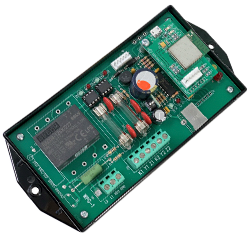
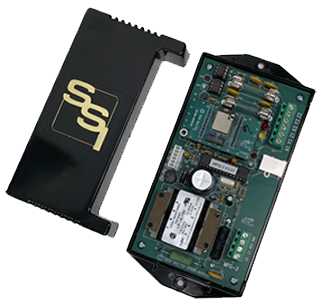
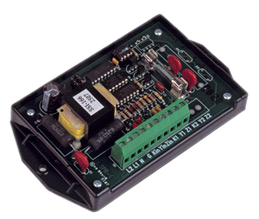
- SSI 9903B installed; optional Channel 2 submeter connected
- Two to four weeks of baseline data reviewed
- Demand target, warning limit, and action limit set
- Written, approved shed plan with owners for each tier
- Text and email peak demand notifications set up and tested with the people on call
- Monthly report scheduled and reviewed against the bill
Get the Full Application Note
The full application note (PDF) adds step-by-step connection and setup, alert handling, a worked example, and diagrams. Learn more about the PulseConnex Real-Time Demand Monitor.
Contact RADIAN at 765-449-5500 or sales@radianresearch.com, or request a price quote.